
Seven things YouSpot does once you connect Gmail
Google has finished its security review, so connecting Gmail is open to everyone. Here is what starts happening to your contacts, your Mondays and your morning calls.
 Chris Battis
Connecting Gmail lets YouSpot read your mail and your calendar, so it can build your contact list for you and answer questions about the people you work with. Once it's connected, seven things start happening, from telling you which past clients have gone quiet to reminding you what you charged last time.
Your mail already holds the record
Nobody sets out to keep a record of their own business. It gathers in your sent mail anyway: the scope you agreed with a client in March, the rate you quoted in a thread two summers ago.
You could find any one of those by hand. What you can't do is read the whole of it on a Tuesday morning and notice the few things in there that need you this week. The record of your business is already in your mail, and nobody has the afternoon it would take to search it.
Google has finished its security review of YouSpot. Connecting Gmail is now open to everyone rather than a limited group.
You find out which past clients have gone quiet
Reconnect nudges runs on Mondays at 7. It builds a shortlist from the people your network already knows as clients or referrers. Then it works out how long each one has been quiet, by searching your own sent mail for your last exchange with them. Anyone who's sent you work comes first. That's a different list from whoever you happen to have spoken to longest ago.
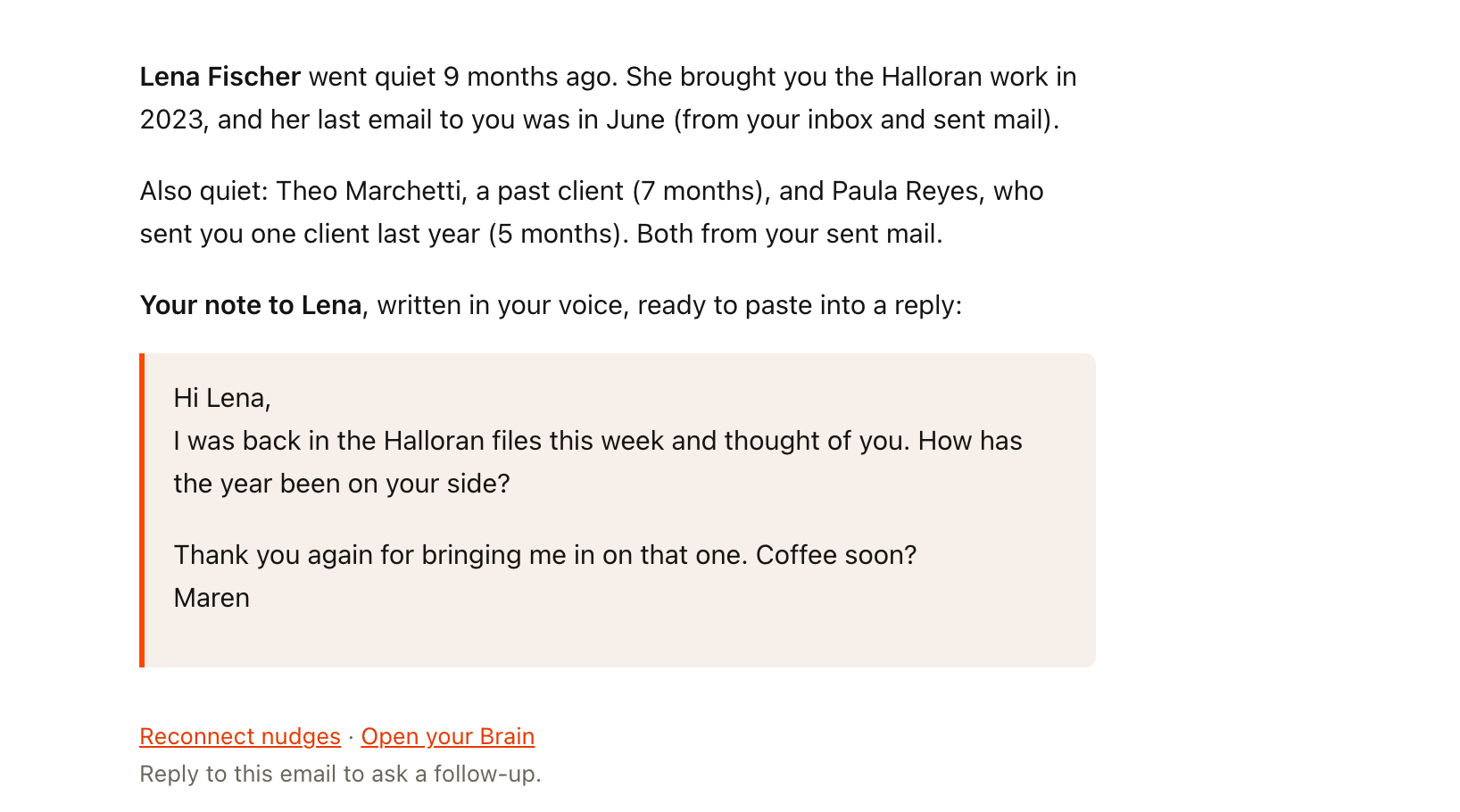
You get up to three names. Each comes with the reason it's them and the date your mail says you last talked. The top one also gets a note written in your voice, learned from how you've written to that person before. On a Monday in March it's Lena Fischer, who brought you the Halloran work in 2023 and last wrote to you in June. The longer version is in the post on who sent you work and then went quiet?.
Reconnect nudges: Lena went quiet 9 months ago
You walk into every call knowing where you left off
Meeting prep runs on weekday mornings at 7 and reads today's calendar first. Solo blocks and anything internal are skipped, so it only speaks up when someone from outside your business is on the invite. For each of those people it reads your mail for what you last discussed and what's still open between you, and looks up the company of anyone you have no history with.
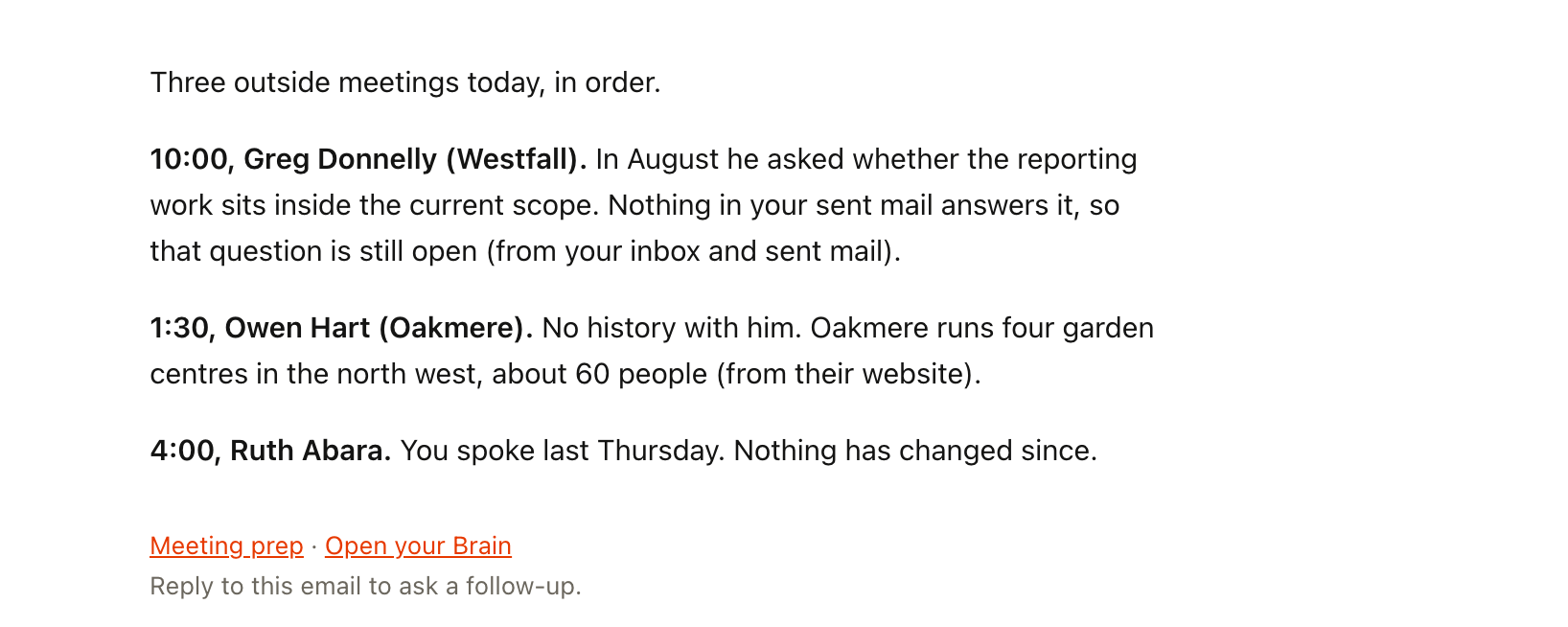
Before your ten o'clock with Greg Donnelly at Westfall you already know that the scope question he raised in August never got an answer. The brief leans towards the people you haven't seen in a year, because the client you spoke to yesterday needs one line and the one from last spring needs five. One morning of it is the post on how do you walk into every call already caught up?.
Meeting prep: Your 10am with Greg, and 2 more today
You catch the things you said you'd send
Commitment tracker runs on Fridays at 7. It reads the last three weeks of your sent mail for the sentences where you promised something. I'll send, I'll follow up, by Friday, the proposal you named a day for. For each one it reads the thread to see whether you already did it, so what reaches you on Friday is only what's still open.
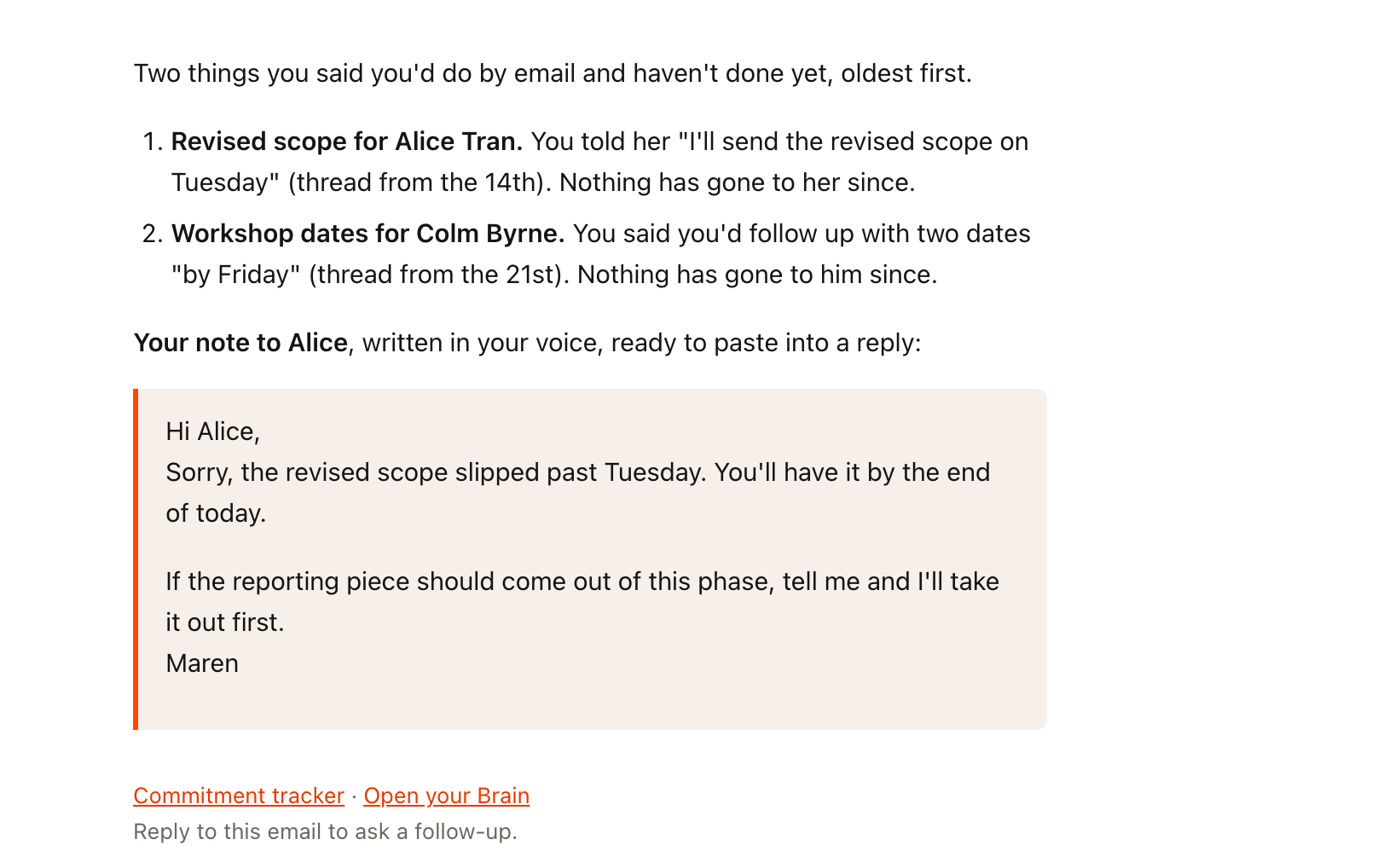
The email is your own words handed back to you, oldest first, with the thread each line came from. You told Alice Tran you'd send the revised scope on Tuesday, in a thread from the 14th. The thread says you didn't.
Commitment tracker: You told Alice you'd send the revised scope Tuesday
You hear which invoices went quiet
Invoice follow-ups runs on Mondays at 8. It searches six months of sent mail for invoices where nothing has come back. Anything still inside the terms you stated never reaches the list at all. Where you named no terms, it counts from the day you sent it and tells you that's what it did.
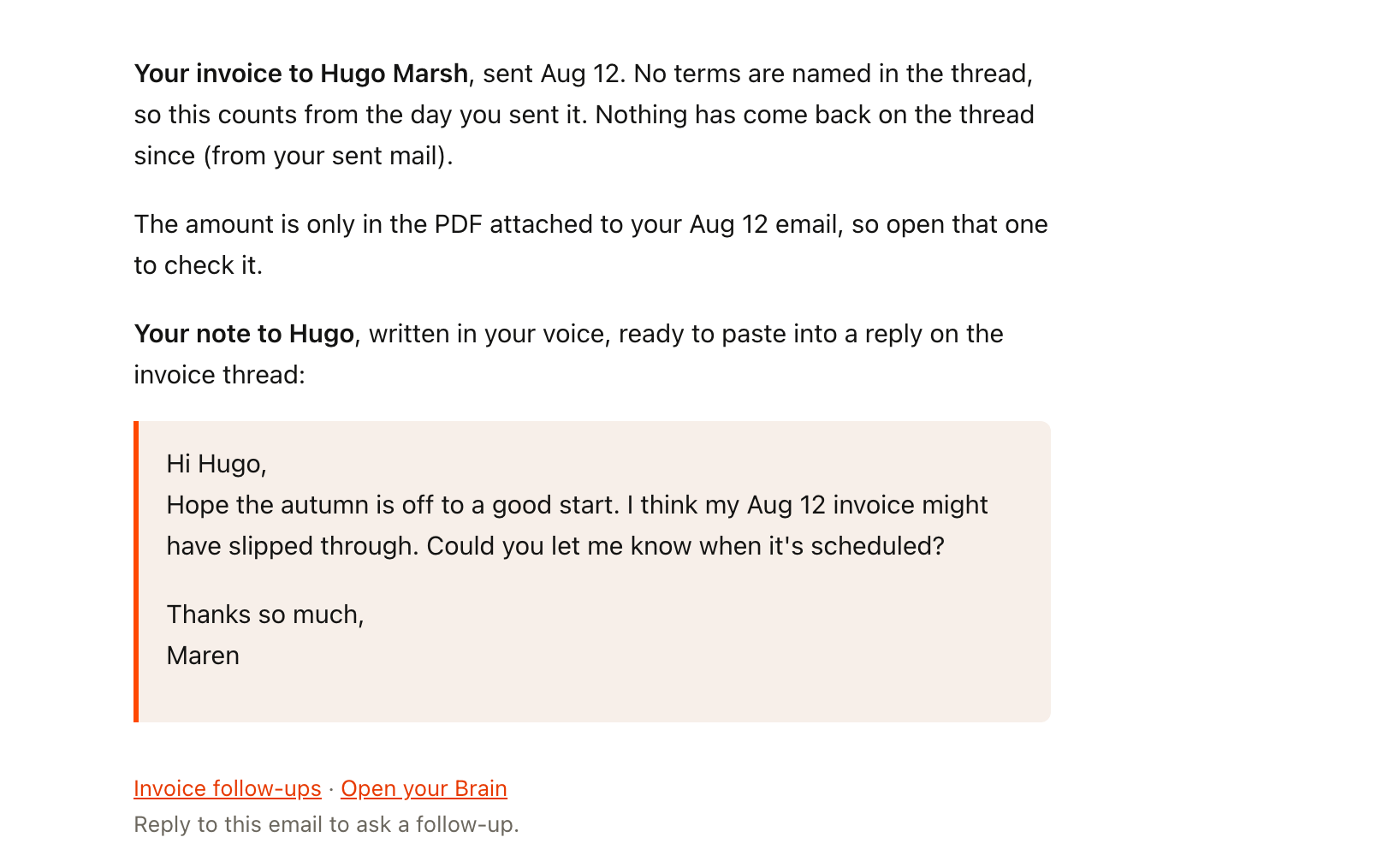
It never calls an invoice overdue. It can read your mail and not your bank, so the only claim it makes is what your own email says: you invoiced Hugo Marsh on Aug 12, and nothing has come back on the thread since. If the amount lives only in an attached PDF, it tells you which email to open instead of guessing at a number. The note it writes assumes the invoice slipped someone's mind. That's almost always what happened. There's a whole post on how do you chase an invoice without it being awkward?.
The note it writes assumes the invoice slipped someone's mind.
Invoice follow-ups: Your invoice to Hugo, nothing back since Aug 12
You see what you charged last time
Quote history runs when someone emails to ask what you charge. It reads the message first to work out what's actually being asked, whether that's a rate or a fixed price for a defined piece of work. If the email turns out not to be about money at all, it sends you nothing.
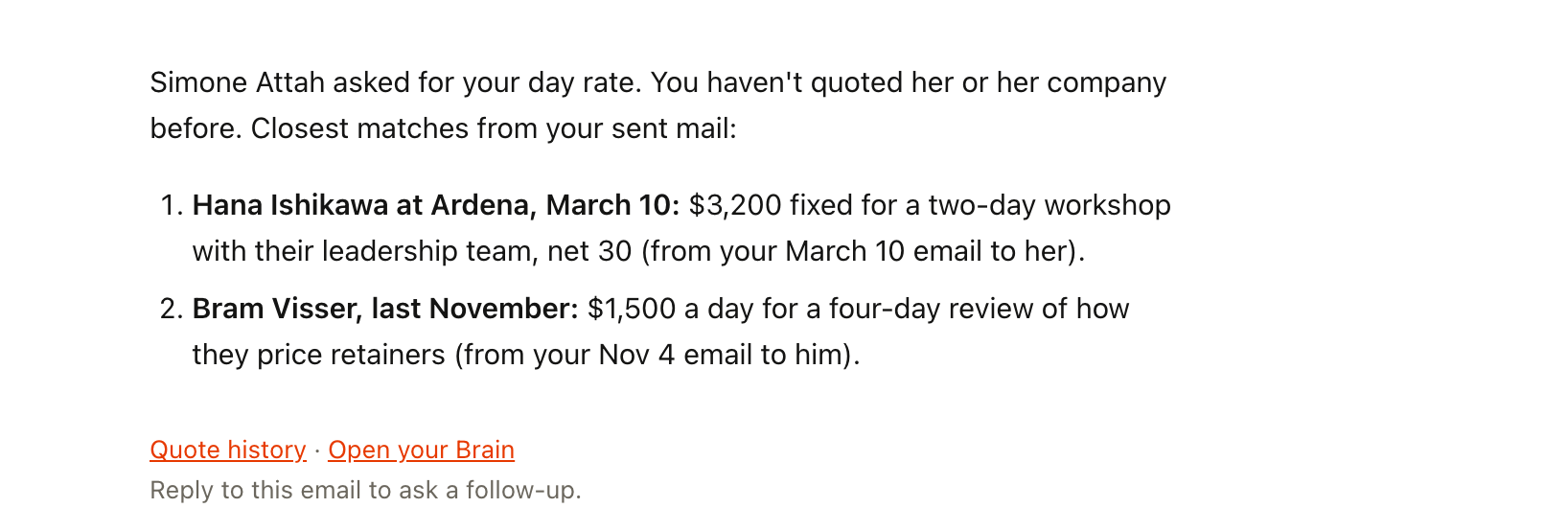
Then it searches two years of your sent mail for what you quoted for work of the same shape. It starts with this person and this company. A number you've already given them is the first thing you need to see. Every line carries who you sent it to, the date, the number as you wrote it, and the scope it covered. When Simone Attah writes to ask your day rate, you see the two-day workshop you priced for Ardena in March before you answer.
Quote history: You quoted Ardena $3,200 for a two-day workshop
You know who just emailed you, before you reply
Two agents cover the stranger in your inbox. Both run when the mail arrives rather than on a schedule. New contact research looks up someone writing to you for the first time. It saves them to your network with a short note on how they arrived, then sends you a few lines on who they are and what they seem to want. Newsletters and no-reply addresses get nothing, and so does someone already in your network.
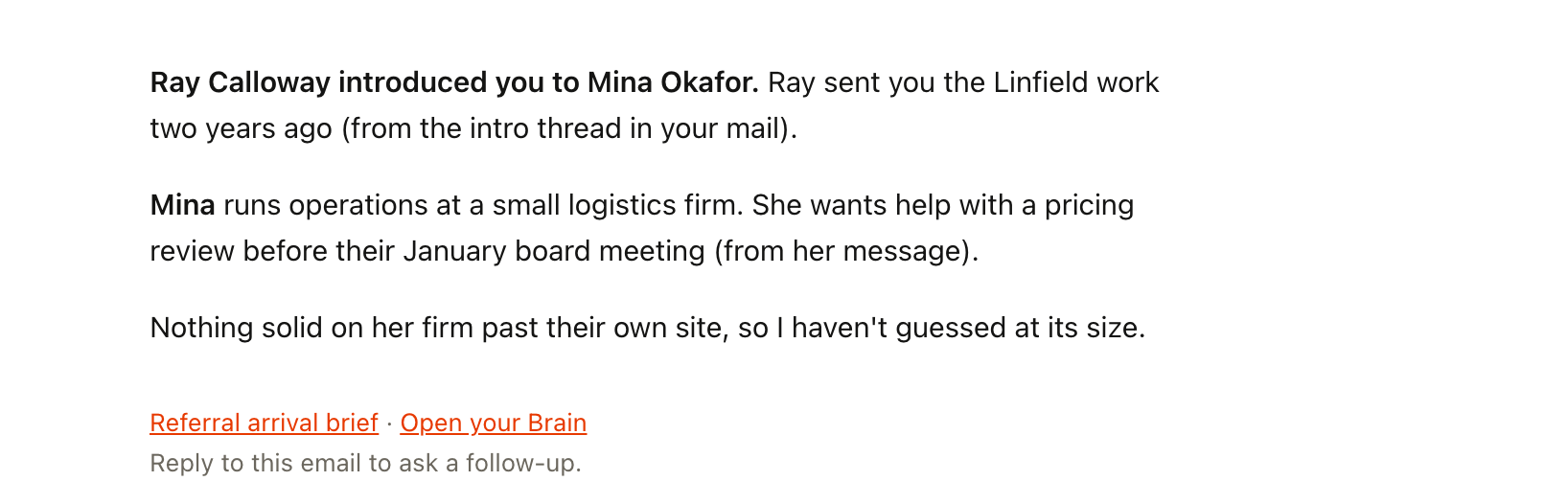
Referral arrival brief is for the other kind of arrival, where a person sends them. It starts with the referrer, because that's the most valuable thing in the message: Ray Calloway, who sent you the Linfield work two years ago, has just introduced Mina Okafor. Then comes who's arriving and what they're asking for. Where there's nothing solid to find about their company, you get one honest line saying so.
Referral arrival brief: Ray introduced you to Mina Okafor
Your contact list fills itself in
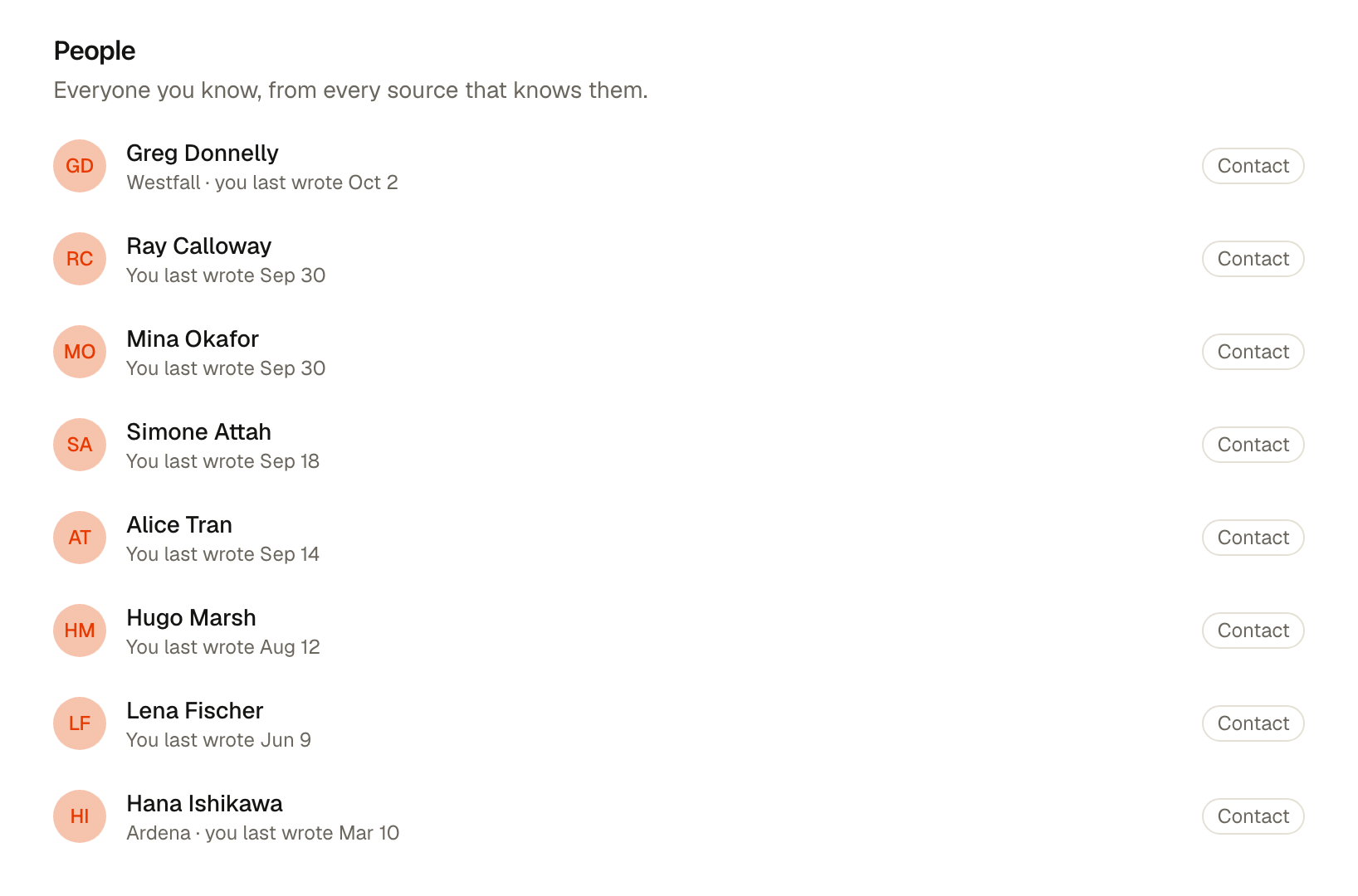
This last one isn't an agent and there's nothing to switch on. Anyone you've emailed at least twice in the last two years, in To, Cc or Bcc, becomes a contact in YouSpot. It's one fixed rule. There are no settings to tune.
It's the part people notice first. The week you connect Gmail your network stops being a thing you're supposed to maintain, because every past client and every person who introduced you to one is already there, with the date you last wrote to them.
How to connect Gmail
- Sign in at youspot.com.
- Open the integrations page.
- Click Connect Gmail and choose the Google account your work mail lives in.
- Allow read access on the screen Google shows you.
YouSpot asks Google for permission to read your mail and to see your calendar events. It asks for nothing else. Your contacts start filling in from that afternoon. Any agent you've switched on runs at its usual time the next morning.
What it won't do
- YouSpot reads your mail. It doesn't send anything for you.
- A note an agent writes in your voice arrives inside the email it sends you. You paste it into a reply and send it yourself, if you decide to.
- Every agent runs because you turned it on. One click on its card pauses it, and the next run stops until you switch it back.
- Everything YouSpot holds about your network comes out in a one-click export.
Is it safe to connect Gmail to another app?
YouSpot asks Google for read access and no more, so it can't send mail from your account even by accident. You can disconnect Gmail whenever you like from the same integrations page, and take your whole network with you in a one-click export on the way out.
What does YouSpot do with my email?
It reads your mail to build your contacts and to answer your questions about the people in it. The agents above read it on the days and times you chose, and anything one of them writes for you comes back to you to send.
The same mail is searchable from Claude or ChatGPT once you connect YouSpot there as well, which is the subject of the post on what can you ask Claude about your own network?.
Connect Gmail → See every agent on the use cases page.